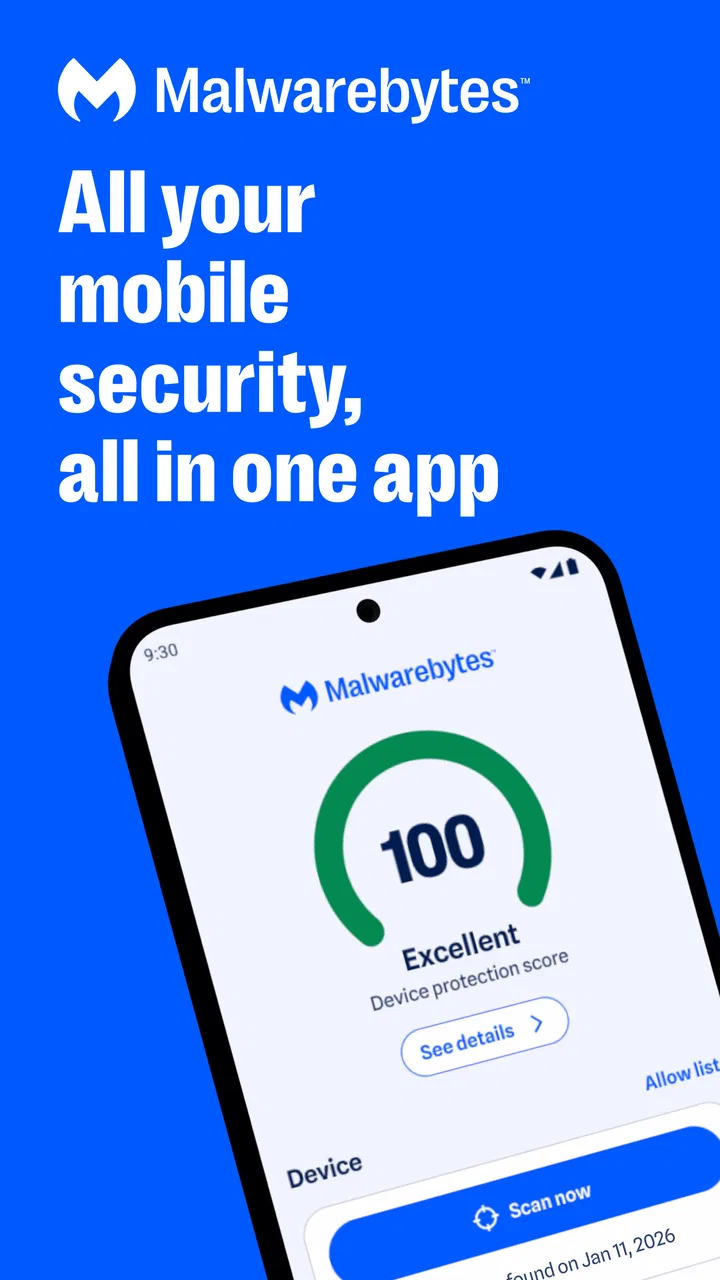
Malwarebytes - Mobile Security
- 4.4
- Rating
- 50.00M
- Installs
- Free
- Price

 Analysis by App-foxy
I usually judge a security app less by how many tools it places on the screen and more by how clearly it explains what those tools do. Malwarebytes Mobile Security is interesting in that respect because it brings antivirus, malware protection, privacy-oriented checks, and VPN protection together under one Android and iOS app. That broad scope can be convenient, but it also means the quality of the experience depends on understanding which protection is active, which requires a paid upgrade, and what information you are comfortable sharing with a security provider.
After spending time with it, my impression is that this is best viewed as a practical safety layer rather than a complete replacement for careful phone habits. It is made by Malwarebytes, a developer already associated with malware protection, and the app has built a substantial audience: it has passed 10 million installs and holds a 4.5 average from roughly 604 thousand ratings. Those figures suggest that many people find the approach useful, but they do not remove the need to inspect the app’s controls for yourself.
How Malwarebytes Mobile Security builds trust
The first thing I look for in a security product is whether its purpose is understandable. Here, the central idea is straightforward: use one mobile tool to check for harmful software, support privacy protection, and add VPN coverage when needed. That is easier for many people than assembling separate products from different companies, especially when they want one place to start after installing an unfamiliar app or connecting to a risky network.
You May Also Like

 Blood Strike: 2.5 Anniversary
Blood Strike’s Loadouts Turn Every Drop Into a Tactical Gamble
A close look at Blood Strike’s custom loadouts: how fast access to signature weapons reshapes its battle royale rhythm, rewards preparation, and narrows the gap between fights.

 Pandora - Music & Podcasts
Pandora’s Music Is Easy to Start, but Harder to Recover
Pandora’s strength is its low-effort path from a seed to a station. Its weak spot is how much confidence it asks you to place in connection, setup, and quiet recovery.

 8 Ball Pool
 Is Built on Rivalries, Rematches, and Routine
A close look at the rivalries, rematches, shared routines, and unanswered safety questions that turn a quick pool match into a persistent mobile community.

 Samsung Music
’s Quiet Strength Is Playing What You Already Own
Its reach comes less from spectacle than from dependable access to a personal library. That simplicity is both the app’s strongest retention engine and its ceiling.

 AccuWeather: Weather Radar
AccuWeather Review: A Quick, Clear Forecast for Everyday Decisions
For everyday plans, the best forecast is the one you can understand quickly. AccuWeather makes rain timing, radar, and local conditions easy to act on, with a few trade-offs.

 Hill Climb Racing
Why Hill Climb Racing Still Turns Crashes Into One More Run
A tiny car, a bumpy hill and one more upgrade: Hill Climb Racing keeps resurfacing because its simple chaos makes every near-miss feel personal.
More From Our News Desk



The app is listed as a free Tools app for Everyone, with a release date of October 15, 2013. Its current version is 5.21.0+1528, and it works on Android 9 and later. The long history matters to me because a security app needs ongoing attention; however, an older product history should not be confused with a guarantee that every device or operating-system behavior will feel identical. Mobile platforms change, and some protective functions naturally depend on what Android or iOS allows at the time.
I also appreciate that the free entry point makes it possible to inspect the general experience before deciding whether the extra protection is worth paying for. At the same time, the presence of in-app purchases ranging from $1.49 to $139.99 per item means I would not treat the word “free” as a description of the entire feature set. A careful user should open the upgrade screens, read what each plan adds, and avoid assuming that antivirus scanning, privacy tools, and VPN use all have the same access level.
That distinction is important when comparing this app with the usual alternatives. A phone’s built-in security features may be enough for someone who installs only familiar apps and keeps the operating system updated. A standalone VPN may be a better fit for a person whose only concern is network privacy. A dedicated password manager or privacy tool may go deeper in its own area. Malwarebytes Mobile Security makes more sense when I want a single, recognizable starting point and prefer convenience over building a collection of specialized tools.
What I check before trusting a security app
I do not grant a security app broad access automatically. I first read each permission request in context, then ask whether the requested access matches the feature I am trying to use. A malware scanner, privacy checker, or VPN may need different forms of system access, and the user experience can vary between Android and iOS. Rather than accepting every prompt quickly, I recommend opening the operating system’s app settings afterward and reviewing the permissions that remain enabled.
This is also where Malwarebytes Mobile Security should be approached with ordinary caution. The app’s security purpose does not mean every optional function is necessary for every person. If I only want occasional checks, I would avoid enabling features that I do not plan to use. If I want VPN protection, I would read the VPN setup screen carefully and confirm which connection is being protected. The useful question is not “Can this app ask for access?” but “Do I understand why I am allowing it, and can I turn that access off later?”
Account controls deserve the same attention. If the app presents a sign-in, subscription, or upgrade choice, I would use the account area to check the plan attached to the device and review renewal details before confirming anything. I would also make sure I know whether I am using the free portion or a trial-like premium entitlement. This small habit prevents a common problem with security suites: forgetting which feature was temporary and discovering the difference only after the billing state changes.
For families, the Everyone age rating is reassuring from a general suitability perspective, but it does not replace supervision. I would still configure the app with the phone’s owner in mind, explain why a VPN or security scan may appear, and avoid presenting every warning as proof that the device is infected. Security alerts need interpretation. An unfamiliar application can be unwanted without being malicious, while a clean scan cannot compensate for entering a password into a convincing fake website.
Where privacy choices matter most
The most sensitive moment is usually not the first malware scan. It is enabling a network-protection feature. A VPN changes how traffic is routed, so I would treat the VPN provider as a party that deserves the same scrutiny as the internet service I am trying to avoid exposing myself to. Before switching it on, I would inspect the app’s visible explanations and privacy choices, then use it for a clear purpose rather than leaving it active simply because the button is available.
For example, imagine I am working from a hotel and need to check an account on my phone. I might use the VPN while connected to the hotel network, but I would still verify the website address, use multifactor authentication where available, and avoid treating the VPN as a shield against phishing. The VPN can address one part of the connection; it does not make a suspicious message trustworthy or turn an unsafe download into a safe one.
Another data-sensitive moment comes when a scan produces a warning. My advice is to pause before removing anything. I would read the item name, consider whether I installed it deliberately, and check what action the app offers. Deleting a questionable application may be sensible, but a security tool should not become an excuse to remove something important without understanding the consequence. If the app gives a choice between quarantining, ignoring, or uninstalling, that choice is valuable because it leaves the final decision with the owner of the phone.
Privacy checks can also create misleading comfort if they are read as a complete audit of personal data. I use them as prompts: review applications I no longer need, inspect permissions in system settings, and reconsider whether a free utility deserves access to contacts, location, or files. The strongest outcome is not simply a green status screen. It is a shorter list of apps, fewer unnecessary permissions, and a clearer idea of which services I trust.
I would be especially careful on a device used for banking, work accounts, or private conversations. Malwarebytes Mobile Security can be one part of a sensible routine, but I would combine it with operating-system updates, screen locking, unique passwords, multifactor authentication, and careful installation habits. No mobile security app can make a careless tap harmless, and no scan can guarantee that a newly created scam has already been recognized.
How much control the user keeps
One of the app’s practical strengths is that it puts several protective ideas in one place without forcing me to become a security specialist before I begin. I can start with a scan, look at privacy-related guidance, and decide whether VPN protection fits my situation. That makes it approachable for a relative who wants reassurance but does not want to compare several technical products.
Still, convenience can hide decisions. I would open every result instead of relying only on a large status indicator. A dashboard that says the phone is protected is useful for orientation, but the details tell me whether the result came from a recent scan, an enabled privacy feature, or a subscription-dependent function. When an app combines free and paid tools, the difference between “available,” “enabled,” and “recommended” matters.
My preferred workflow is deliberately simple. I install the app from the official store, review the initial choices, and deny anything unrelated to the task I have in mind. I then run a scan after installing a group of unfamiliar applications rather than scanning repeatedly without a reason. If the app identifies a concern, I investigate the application and its source before choosing an action. Finally, I revisit the system permission page and the app’s account or subscription area so I know what remains active.
That workflow also helps answer a question many people have: does this replace built-in phone protection? I would not assume so. I see it as an additional layer and a convenient inspection tool, not permission to disable sensible platform safeguards. If a phone already has strong built-in protections and its owner is disciplined about updates and downloads, the extra app may feel unnecessary. If the owner regularly installs utilities, clicks links from messages, or wants a single interface for several safety functions, the added guidance may justify the extra complexity.
There is a trade-off with notifications and intervention as well. Security software needs to attract attention when something deserves review, but too many warnings can train people to dismiss everything. I would keep only the alerts that help me make a decision and learn the difference between an informational notice and an urgent action. If the app becomes noisy on a particular phone, I would adjust notification settings rather than automatically uninstalling it or blindly accepting every prompt.
Who benefits, and who should choose something else
I think the app is a good match for Android or iOS users who want a recognizable security brand, a free way to begin, and several protection categories gathered together. It is particularly suitable for people helping less technical family members, because one installation can provide a place to start when the phone behaves strangely or an unfamiliar app raises concern.
It is also useful for travelers and people who frequently use public networks, provided they understand what a VPN can and cannot do. In that situation, I would value the ability to make a deliberate network-protection choice without installing a separate VPN product. I would still compare the available plan terms and privacy explanations before relying on it for regular use.
I would skip it if I strongly prefer the smallest possible app footprint, dislike account or subscription decisions, or already have separate tools that I understand and trust. Someone who wants only a lightweight malware check may find the broader suite more involved than necessary. Likewise, a person seeking advanced network controls, specialized privacy analysis, or a dedicated password-management system may be better served by a product focused entirely on that one job.
There is another limitation that is easy to overlook: a security app can encourage a false sense of completion. If I install it and never review permissions, never update the phone, and approve every link, I have gained less protection than the dashboard suggests. The app works best when it supports good decisions rather than replacing them. That is a genuine weakness of the category, and Malwarebytes Mobile Security cannot escape it simply by combining more tools.
My cautious recommendation
My final view is positive, with conditions. Malwarebytes Mobile Security is a sensible all-in-one option for someone who wants malware checks, privacy-oriented guidance, and VPN protection in a familiar Tools app. The free starting point lowers the barrier to trying it, while the large user base and long presence on mobile give it a level of familiarity that many smaller security utilities lack.
I would recommend it as a guided safety layer, not as a substitute for judgment. Before enabling anything sensitive, I would read the permission explanation, inspect the account and purchase controls, and decide whether the feature solves a real problem for me. I would use scan results as prompts for investigation, not automatic proof of danger, and I would keep the phone’s own security settings active.
For my own use, the deciding factor would be convenience. If I wanted one app to organize several forms of mobile protection and was comfortable checking which functions were free or paid, I would consider installing it. If I needed only one narrowly defined tool, I would choose a more specialized alternative. That is the honest balance: Malwarebytes Mobile Security can make everyday security easier to manage, but its value comes from informed choices, not from turning every protection switch on without reading what it changes.
The app is free to download, rated for Everyone, and supports devices running Android 9 or later. Its developer is Malwarebytes, and the current release is 5.21.0+1528. I would begin with the basic experience, review the visible controls, and upgrade only when a specific need—such as broader protection or VPN use—makes the cost and added account decisions worthwhile.
FAQs for Malwarebytes - Mobile Security
01What features does Malwarebytes Mobile Security offer?
Malwarebytes Mobile Security provides a comprehensive suite of features designed to protect your device. It includes real-time malware detection, safe browsing to block malicious websites, privacy audits for apps, and ransomware protection. Additionally, it offers anti-phishing capabilities and a security audit tool to ensure your device is secure.
02Is Malwarebytes Mobile Security free to use?
Malwarebytes Mobile Security offers a free version with basic protection features. However, for enhanced security, users can upgrade to the premium version, which includes real-time protection, scheduled scans, and advanced anti-phishing features. The premium version usually comes with a subscription fee but offers a trial period for new users.
03How does Malwarebytes Mobile Security impact device performance?
Malwarebytes Mobile Security is designed to be lightweight and efficient, minimizing its impact on your device’s performance. While running in the background, it uses minimal system resources. Users typically experience no noticeable lag or slowdown, allowing them to use their devices as usual while remaining protected.
04Is Malwarebytes Mobile Security compatible with all Android and iOS devices?
Malwarebytes Mobile Security is compatible with a wide range of Android and iOS devices. However, it's important to ensure your device meets the minimum operating system requirements: Android 6.0 or later and iOS 12.0 or later. Regular updates ensure compatibility with the latest devices and operating systems.
05How effective is Malwarebytes Mobile Security against new threats?
Malwarebytes Mobile Security employs advanced threat detection algorithms and is updated regularly to defend against new and emerging threats. It uses real-time scanning to identify and neutralize malware before it can harm your device. The app’s effectiveness is bolstered by its extensive database of known threats and its proactive approach to security.
Pros
- Real-time protection against threats.
- User-friendly interface for easy navigation.
- Minimal impact on device performance.
- Comprehensive privacy audit features.
- Frequent updates ensure latest security.
Cons
- Premium features require subscription.
- Occasional false positive detections.
- Limited features in free version.
- Some ads in the free version.
- Can be resource-heavy on older devices.

Malwarebytes - Mobile Security
Gallery